How to Download YouTube Videos (Principle)
This article is automatically translated by LLM, so the translation may be inaccurate or incomplete. If you find any mistake, please let me know.
You can find the original article here .
Just google YouTube Download and you can easily find many websites that allow you to download videos. However, I was curious about how to get the real URL of a YouTube video, so I spent some time researching the principle.
In the end, I made a simple API server, which could also be modified to be published as an npm module. GitHub: maple3142/ytdl
This article will briefly explain how to download YouTube videos.
Getting Video Information
YouTube has an official API called get_video_info that can retrieve some information about the video, including the video URL.
http://www.youtube.com/get_video_info?video_id=VIDEOID&el=embedded&ps=default&eurl=&gl=US&hl=enThe
VIDEOIDinside refers to the video's ID. For example, the ID ofhttps://www.youtube.com/watch?v=-tKVN2mAKRIis-tKVN2mAKRI.
You will get a string of strange text, but its format is actually the querystring format, like key=value&key2=value2.
In the parsed object, you will get many key-value pairs, two of which are needed: url_encoded_fmt_stream_map and adaptive_fmts.
url_encoded_fmt_stream_map is a string separated by ,, and each segment is a querystring. The format is approximately as follows:
{
	"sp": "signature",
	"quality": "hd720",
	"itag": "22",
	"url": "https://....",
	"type": "video/mp4;+codecs=\"avc1.64001F,+mp4a.40.2\"",
	"s": "XXXXXXXXXXXXX"
}
There is a URL in it, and you might directly think that the URL is the real video URL. However, if there is no signature in sp, it is indeed the real video URL, but if there is, you will get HTTP code 403. This is because having a signature means the video is encrypted, and the encrypted string is the s inside. The decryption part will be explained below.
The format of adaptive_fmts is actually the same as url_encoded_fmt_stream_map, but its content is different. It contains some videos without sound and pure audio files, representing separated video and audio.
For an example of how to parse this data, you can refer to: getvid.js
Decrypting the Signature
Getting the Source Code
Open any YouTube video and then open the devtool (Developer Tools), and find a file under player called base.js or a file name starting with data:. You might see something like this:
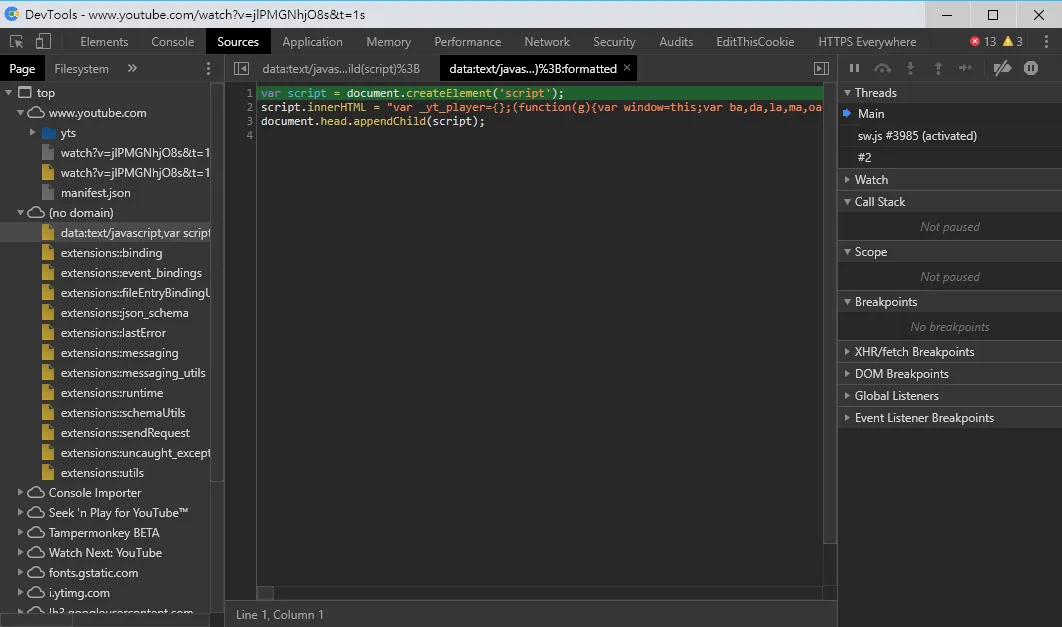
The actual code is placed inside a <script>. In this case, get the code and throw it into some beautifier for formatting.
If the code you see is not wrapped in
<script>, you can directly click format at the bottom left.
Finding the Decryption Function
Old Method (No Longer Usable)
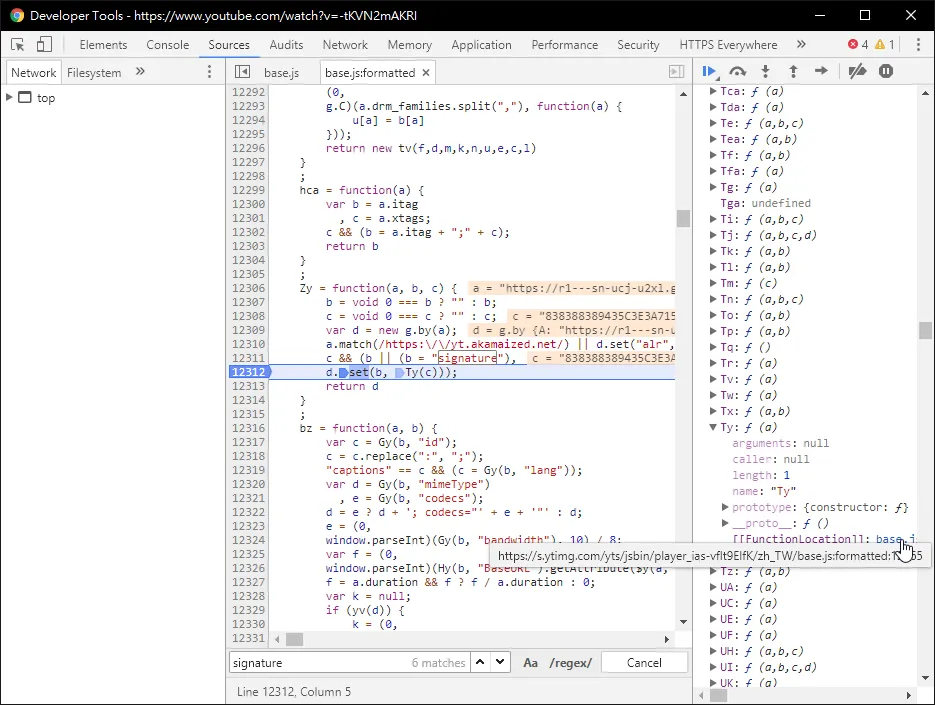
Search for signature inside, and in the first match, you can see a function like the one below. The Ty function (or possibly another name) is the decryption function for the signature.
New Method
Search for akamaized inside, and you will see something like this:
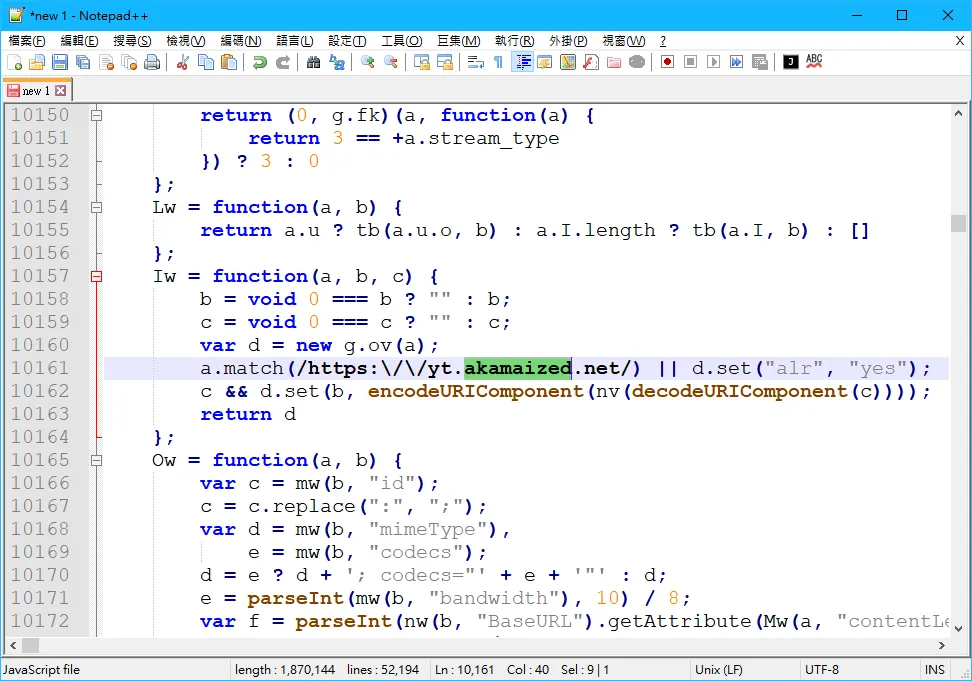
The nv function is the decryption function. The method to find this is more complicated, generally using the old method combined with breakpoints.
After finding the decryption function name, search a bit more to find a function like the one below. This is the decryption function itself.
nv = function(a) {
	a = a.split("");
	mv.Ym(a, 54);
	mv.Ym(a, 25);
	mv.gJ(a, 1);
	mv.TY(a, 21);
	mv.Ym(a, 62);
	mv.Ym(a, 35);
	mv.Ym(a, 17);
	return a.join("")
};
Decryption Function Helper
You will see something called mv, which can also be found by searching for its definition. It should look like this:
var mv = {
	gJ: function(a, b) {
		a.splice(0, b)
	},
	Ym: function(a, b) {
		var c = a[0];
		a[0] = a[b % a.length];
		a[b % a.length] = c
	},
	TY: function(a) {
		a.reverse()
	}
};
Conclusion
This is actually some helper tools needed for the decryption function. Combining them allows you to decrypt the signature.
Then, adding &signature=decrypted_signature to the URL will give you the real URL, which you can directly browse with a browser.
However, this is not a one-time thing, as the encryption method changes from time to time. When you find that the decryption is still invalid, please re-find the decryption function.
But I am a bit lazy, so I simulated all the steps I just did with JavaScript to automatically find the decryption function for me: decsig.js